More consistent network records
Typed assets, units and connection rules help teams identify incomplete or incompatible records before they affect analysis.
MAPMYINDIA · UTILITY OPERATIONS
Plan networks, assess service impact and guide field work across web, Android and iOS with Mappls maps and utility-specific engineering workflows.
Power, water, gas, telecom, wastewater, stormwater and district heating.
THE WORK IT SUPPORTS
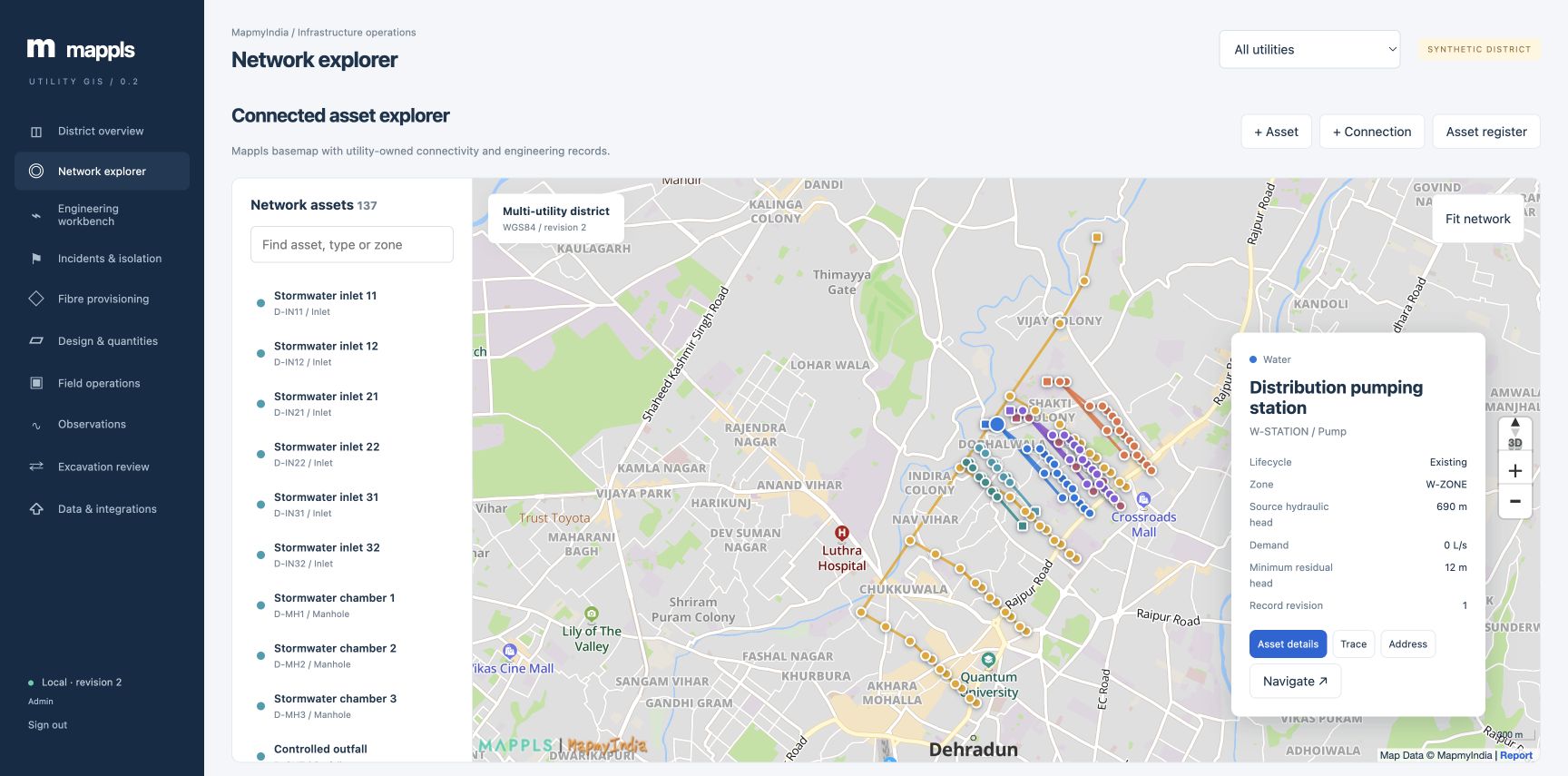
Keep equipment, connectivity, engineering evidence and work history together. Each decision starts with an identifiable asset and a known network revision.
Typed assets, units and connection rules help teams identify incomplete or incompatible records before they affect analysis.
Trace the services that depend on equipment, including recorded dependencies between utility networks.
Retain proposed designs, quantities, assessment results and recorded decisions through a controlled workflow.
Link checklists, measurements and inspections to the equipment revision and the person’s software role.
UTILITY COVERAGE
Shared workflows support collaboration. Utility-specific models preserve the differences that matter to engineers.
Voltage and phase validation, source tracing, transformer loading and electrical current screening.
Ring supply, valve isolation, pipe velocity, Hazen–Williams head loss and a period water balance.
City gates, regulators, valves, MAOP checks, leak observations and connectivity isolation.
Continuous strand allocation, endpoint ports, optical loss budgets and disjoint protection checks.
Directed traces, invert slope, accumulated flow and Manning full-pipe capacity screening.
Rainfall intensity, rational runoff, receiving outfalls and maintenance observations.
Supply and return temperatures, mass-flow screening, heat loss and service dependencies.
THE PLATFORM
Every section includes an objective, responsibility, work steps and expected output for the signed-in role.
Compare assets, open incidents, engineering flags and essential-service dependencies.
Search equipment, inspect connected segments, edit typed records and navigate with Mappls.
Trace sources and outfalls, apply barriers and inspect screening results with explicit units.
Evaluate alternate paths, critical customers and cascading dependencies across utilities.
Find feasible routes, check optical margin and reserve or release available strands.
Create revisioned drafts, review quantities and entered rates, then approve and commission.
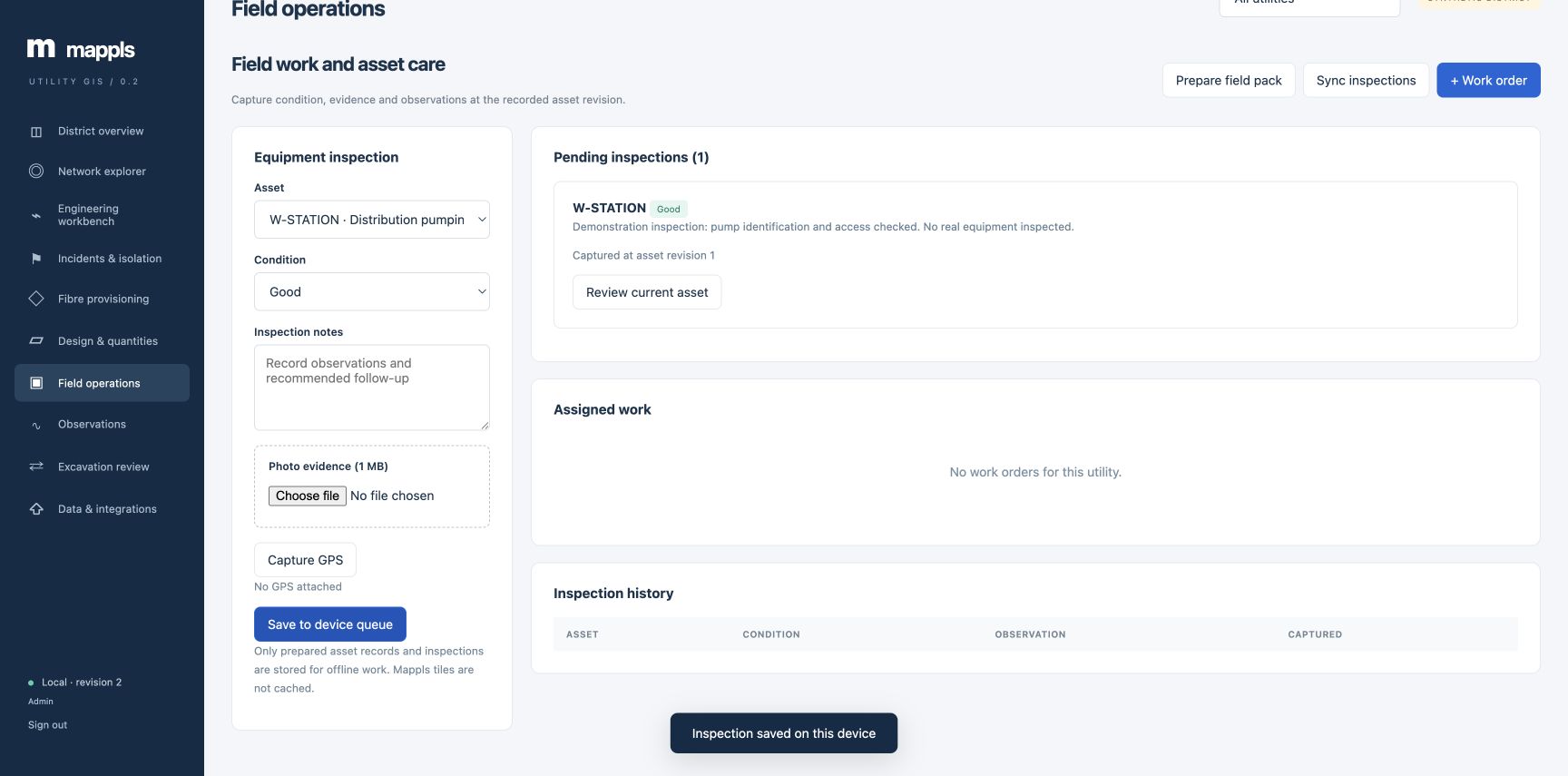
Assign utility checklists, capture inspections and synchronize an offline inspection outbox.
Record measurements, review exceptions and hand abnormal observations to an engineer.
Screen an alignment by distance and nominal depth, then retain an internal review record.
Validate GeoJSON, export inventory and analysis, and verify the change audit chain.
CROSS-UTILITY CONTEXT
A recorded transformer dependency can affect a gas regulator or a telecom exchange. The incident workspace shows the affected services and critical assets together so teams can prepare a coordinated handover.
Read the incident workflow ↗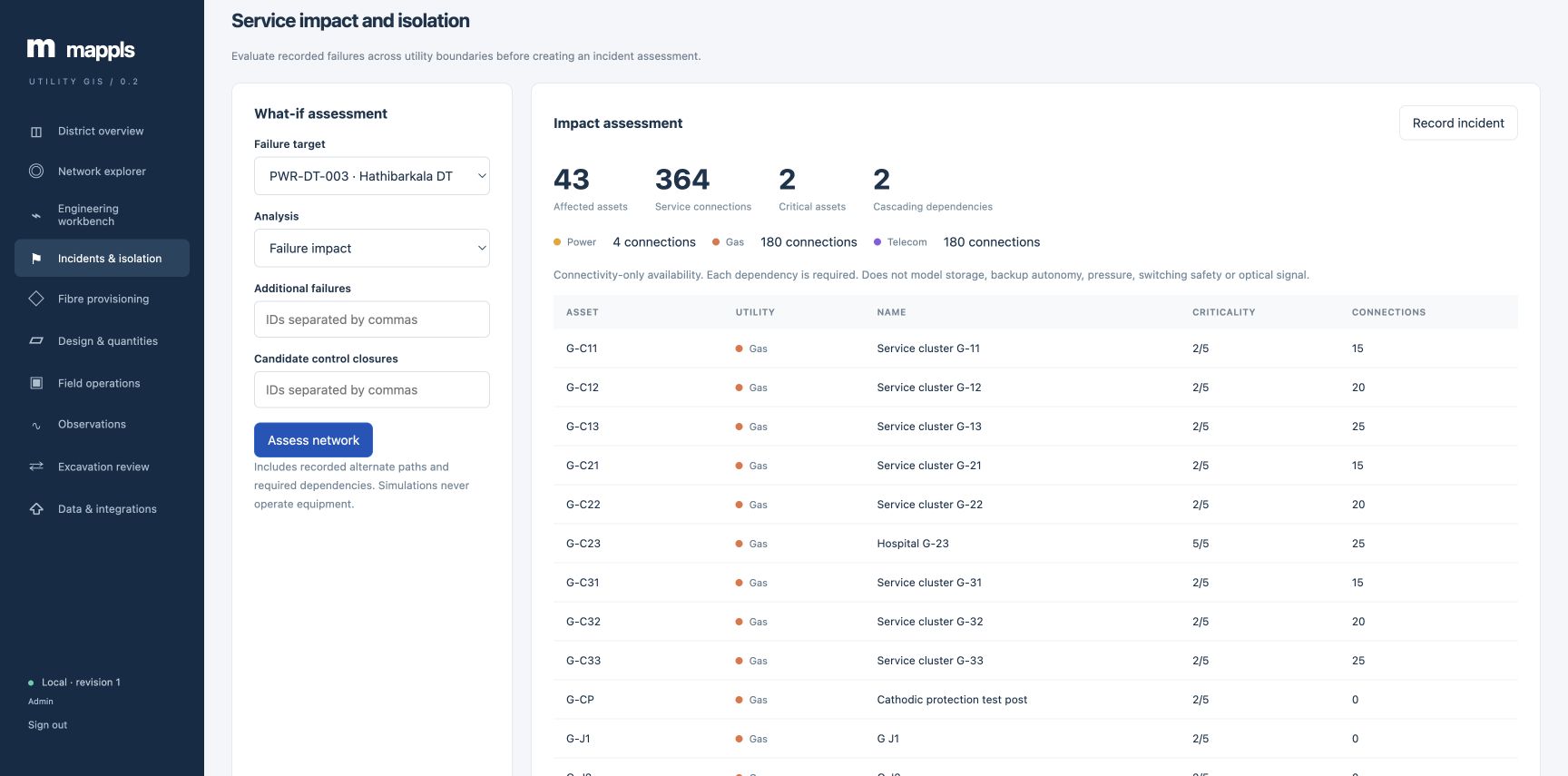
ROLES AND GUIDANCE
Set review ownership, examine evidence, approve controlled changes and oversee the audit record.
Maintain verified records, investigate flags, prepare designs and allocate work or fibre capacity.
Identify assigned equipment, execute checklists and synchronize condition and measurement evidence.
Review and export evidence, track progress and hand questions to the responsible owner.
Inline guidance supports an organisation’s approved SOPs. Role access in software does not confer authority to operate equipment.
FIELD CONTINUITY
Android and iOS native field apps bring downloaded assets, work checklists, GPS/photo inspections and utility measurements to the crew. An encrypted outbox retains evidence until synchronization; revision conflicts stay available for review.
Engineers and managers can also open all ten modules through the integrated online workspace inside each app.
Native apps are in pilot validation. Company signing and physical-device acceptance precede distribution. Mappls basemaps and engineering calculations require connectivity.
PRODUCT RESOURCES
Read the capability overview, discuss the product with stakeholders and use the operating guide to plan a pilot.
54 illustrated slides covering native field tasks, role permissions, offline evidence and sync.
Download mobile manual ↗PPTX · USER MANUAL61 illustrated slides covering all ten modules, approvals, evidence and practice exercises.
Download web manual ↗PPTXRelease 0.5: web, Android and iOS capabilities, benefits and pilot approach.
Download presentation ↗PDFRelease 0.5: utility coverage, native field workflows and delivery scope.
Download datasheet ↗USER GUIDEObjectives, definitions, responsibilities and software walkthroughs.
Read the guide ↗PILOT PLANNING
Reconcile surveyed assets and connectivity, agree review owners and validate a small set of representative workflows before extending coverage.
Mappls maps, reverse geocoding and navigation provide geographic context. mGIS, telemetry, billing, ERP and workforce integrations require tenant access and project-specific data contracts.
Engineering calculations provide screening and connectivity analysis. Specialised hydraulic, gas-flow, electrical load-flow and flood solvers remain separate integrations.
The platform records internal reviews. Switching, isolation, excavation and emergency response follow authorised procedures and field verification.
TALK TO US
Tell us about your utility, operating area and the workflow you want to improve. Your enquiry will reach the platform’s administrator inbox.
Please share project context only. Do not include passwords, customer personal data or sensitive infrastructure details.